
User Roles & Access Management
Role Management Made Flexible
User Role Management
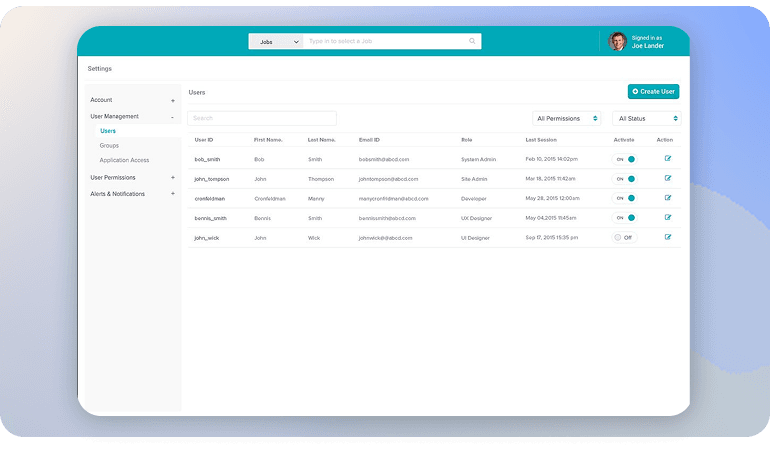
Seamlessly sync user accounts with Agent or Agency profiles, define and enable user roles, and customize permissions for each role ensuring security, consistency, and clarity across your platform.
Align Profiles Automatically
Role Synchronization
Automatically connect user registrations with their corresponding Agent or Agency profile. Any updates they make in their user account reflect in those profiles keeping things consistent and reducing admin work.
Smart Profile Creation
On registration, users who choose roles like Agent or Agency get a matching profile automatically created in the system.
Selective Role Enablement
Enable or disable specific roles (Buyer, Seller, Agent, Agency, Developer, Owner, etc.) depending on what your site needs.
Live Profile Syncing
When a user updates their account (name, avatar, contact info, etc.), those changes are mirrored in their associated Agent/Agency profile.
Control Over Auto-Assignments
Decide whether users auto-become Agents (or other roles) upon registration, or if you want to manually assign roles.
Avatar Fallbacks
If a user hasn’t set a profile photo/avatar, the system can use the Agent/Agency profile image to fill in, giving a consistent visual experience.
User Access Made Simple
Precise Access Rights
Powerful User Access Management
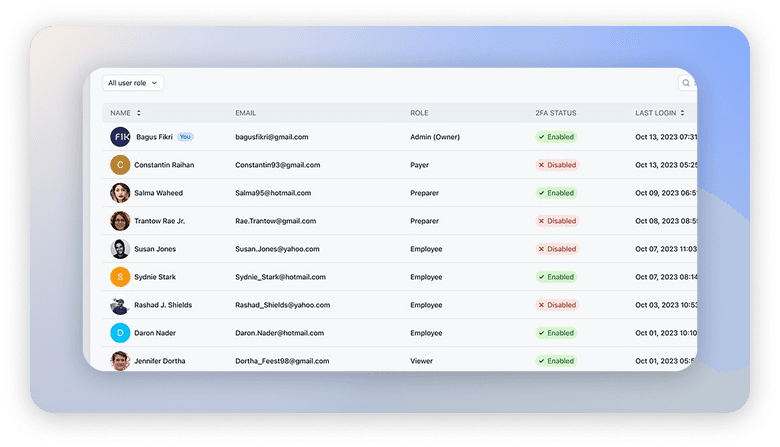
Control what each role can do in RealHomes. From property listings to invoices, set permissions so every role has the right level of access. RealHomes supports both its own real estate roles (Agent, Agency, Buyer, etc.) and WordPress default roles (Administrator, Editor, Author, etc.), giving you a unified way to manage access across your site.
Modify Role Label
Agency / Agent Management
Allow Profile Management
Booking, Reservation Access
Assigned Agency Modification
Access to Invoices
Save/Manage Search Results
Access to Property Analytics
Save or Manage Favorites
CRM Permissions
Allow Property Management
User Verification Badge Access
Frequently Asked Questions
Sell Any Prperty - User Role Management
Why is Webflow the best nocode tool?
Webflow stands out as the leading no-code platform by giving users complete creative control over their websites without relying on developers.
How to launch a Webflow website?
Webflow stands out as the leading no-code platform by giving users complete creative control over their websites without relying on developers.
When did Webflow was founded?
Webflow stands out as the leading no-code platform by giving users complete creative control over their websites without relying on developers.
Who founded BRIX Templates?
Webflow stands out as the leading no-code platform by giving users complete creative control over their websites without relying on developers.
Is NoCode the future of the web?
Webflow stands out as the leading no-code platform by giving users complete creative control over their websites without relying on developers.
Who are the Webflow founders?
Webflow stands out as the leading no-code platform by giving users complete creative control over their websites without relying on developers.